Free online PLC simulator
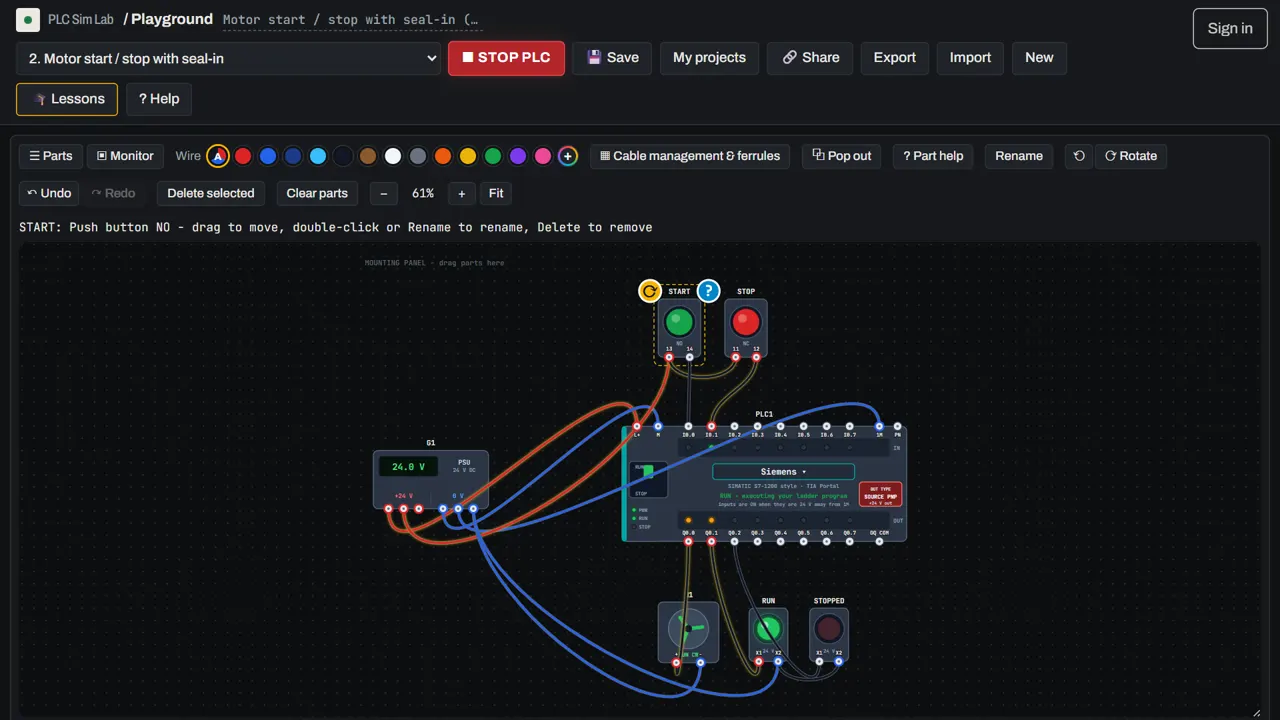
Practise PLC programming without buying a PLC. PLC Sim Lab simulates the whole control panel, not just the program: power supply, PLC, buttons, sensors, contactors, motors and machines, all wired by you and running live in your browser.
 ▶ Open the free simulator
No download, no sign-up, free · runs in your browser · or start the free lessons
Video tutorial
Watch the full tutorial (13 min, 4K): build your first PLC circuit step by step. Open on YouTube →
What you can do with the simulator
Most free PLC simulators only run a ladder program on a list of inputs and outputs. PLC Sim Lab goes one step further: every device on the panel is simulated electrically. A push button only reaches the PLC input if you wire it to +24 V and to the right terminal. A lamp only lights if its return wire goes back to 0 V. That is exactly how a real panel behaves, so the habits you build here carry over to the workshop.
- Wire a real panel. Click one terminal, then another, to run a wire. Hover any terminal to read its voltage like a multimeter.
- Write ladder logic. Contacts, coils, SET/RESET, timers, counters, edge pulses and keep relays, in a grid editor modelled on the tools engineers use.
- Press RUN and operate the machine. Click buttons and selector switches, put metal in front of a proximity sensor, block a photo-eye, and watch the green power flow through each rung.
- Over 40 devices. PNP and NPN sensors, limit switches, relays, contactors, star-delta starters, overload relays, three-phase motors, VFDs, pneumatic and hydraulic cylinders, conveyors, robots, an HMI and remote I/O.
- 36 ready-made examples, from a single lamp to a weld cell, a filling line and a traffic light.
Four PLC addressing styles
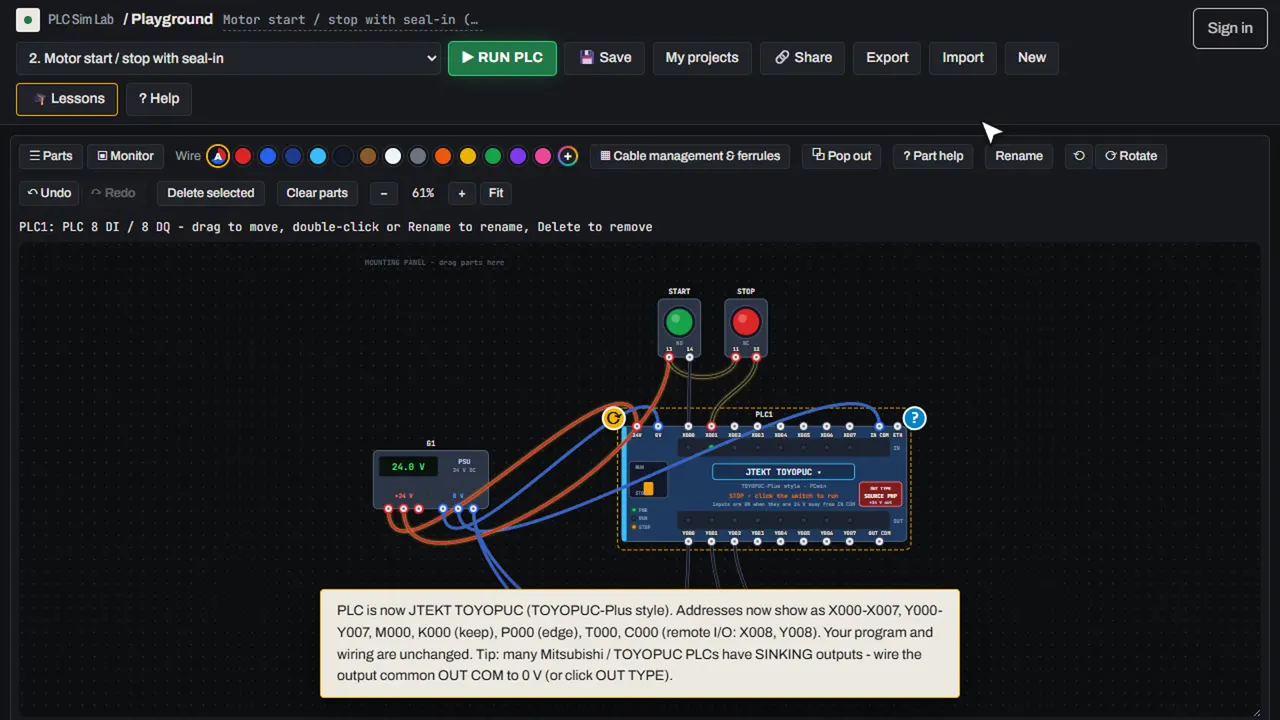
Click the brand label on the PLC to switch the whole project between Siemens-style (I0.0 / Q0.0), Mitsubishi-style (X0 / Y0), Allen-Bradley-style (I:0/0 / O:0/0) and TOYOPUC-style (X000 / Y000) addressing. The program and wiring stay the same; only the way addresses are written changes, so you learn to read any of them. The guide on PLC addressing explains each system.
Learn step by step, then test yourself
If you are new, start with the free PLC training course: 13 guided lessons that set up the panel for you and check your wiring and program automatically, then 12 fault-finding challenges. Finish them all for a free certificate. The Learn section has more than 40 illustrated guides, from what a PLC is to PNP vs NPN sensors and star-delta starters.
Nothing to install, free to use
The simulator runs completely in your browser on Windows, Mac, Linux, Chromebook, tablets and phones. You do not need an account to use it. A free Google sign-in lets you save projects online, share them with the community and earn the certificate.
Open the free PLC simulator → Start the guided lessons →
Frequently asked questions
Is the PLC simulator really free?
Yes. The simulator, the 36 examples, the guided lessons, the fault-finding challenges, the guides and the certificate are all free. The site is supported by ads.
Do I need to install anything?
No. PLC Sim Lab runs in any modern web browser (Chrome, Edge, Firefox, Safari) on a computer, tablet or phone.
Can I practise Siemens, Mitsubishi, Allen-Bradley or TOYOPUC programming?
You can practise their addressing styles and the ladder logic they all share. PLC Sim Lab is an independent learning tool, not the manufacturers\’ software, so for a real project you still need their official programming tools.
Is the wiring simulated too?
Yes. Every terminal has a real voltage. Inputs only switch on with 24 V against the input common, outputs need a load wired back to 0 V, and a short circuit trips the power supply.
Can I save and share my projects?
Projects save in your browser automatically. With a free account you can also save them online, open them on any device and share them in the community.